My statistics show that many people around the world use the materials presented to improve their English.
I offer texts, exercises and sound files.
Until now, you had to download the sound files. But many users have told me they need to save mobile data. That is why, from now on, there often are fewer sound files online.
Instead, you can use free text-to-speech add-ons, e.g. for FIREFOX:

This tool reads any text aloud for you – you do not need to download anything. You can choose the speaker (female/male) and the speed.
I am trying this new way now with some of the texts.
At the end of this text, you can provide feedback.
Tell me:
Is this new option better for saving your mobile data than downloading sound files?
Thank you for your help and attention to that matter!
#####################
For WINDOWS and FIREFOX users:
- go to the list of FIREFOX add-ons, and add
- go to the text you want to listen to, mark it, e.g.
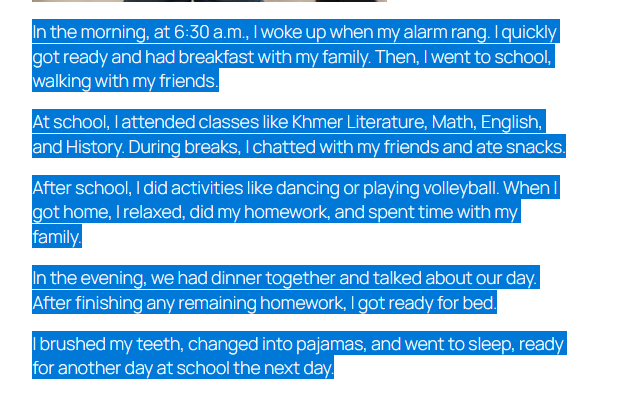
- then
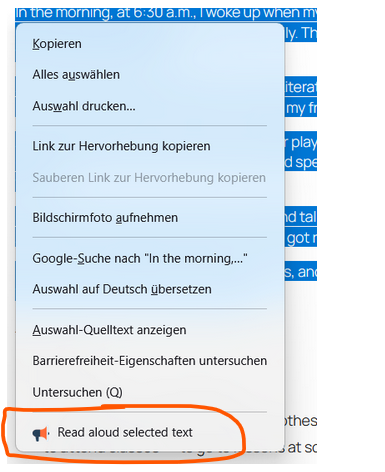
click on ‚Read aloud selected texts‘.
- a new window opens, a speaker starts reading.
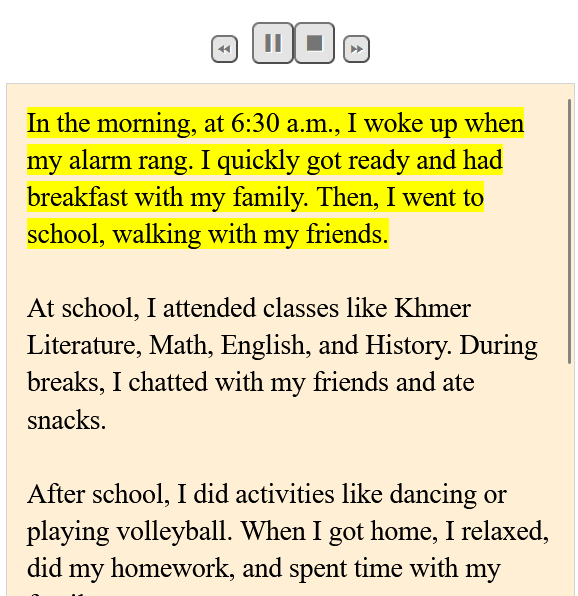
- if you do not like the way he/she speaks, click on
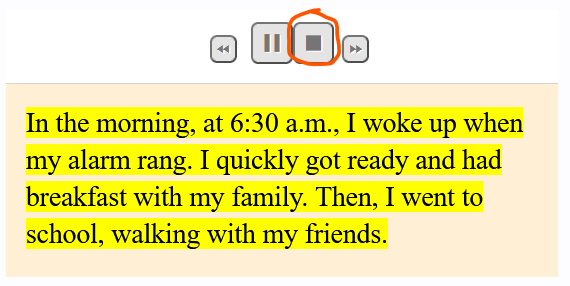
and you get
- when you click on it a new window opens
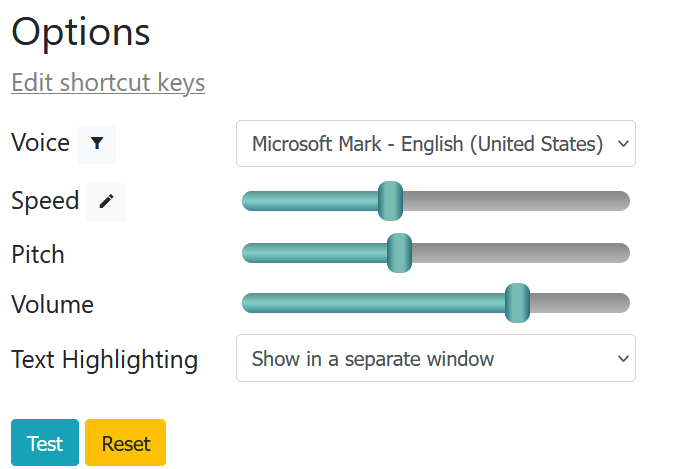
- now it is up to you, to find your best speaker, just try.
#################
#################
You can also use MicrosoftEdge, e.g. instead of #Firefox – follow the instructions below, and you do not have to download the mp3 files – save data.

Schreibe einen Kommentar